Cross-Server Calls
Match with a random server and chat in real time. Messages show the sender’s name and avatar via webhooks — like talking in the same channel.
 is Discord's
Connect your server to a random community in real time. Chat freely, play mini-games, earn points, and meet new people — all while staying safe.
We won’t bore you with the details. Here’s what makes SwitchBooth the smoothest way to connect Discord communities.
Match with a random server and chat in real time. Messages show the sender’s name and avatar via webhooks — like talking in the same channel.
Text, stickers, attachments, and reply previews deliver fast. Typing indicators sync on both sides.
Guess the Number, Fast Type, Speed Math, Would You Rather, Counting, and Rock-Paper-Scissors during calls.
Earn points for connecting and staying in calls. Climb the public leaderboard with your community.
Blocked words, reports, user and guild bans, and inactivity timeouts. Reports go straight to the mod team.
Change the bot prefix per server with /prefix (default c.). Share your username with c.friendme so you can stay in touch after the call.
No premium tiers, no hidden limits. Invite SwitchBooth and start connecting communities right away.
Match with another community and chat in real time — setup takes under a minute
Add SwitchBooth to your server, then run c.setup in the channel you want for calls.
Type c.c or c.call. You join the queue and get matched with another waiting server.
Messages, replies, and images relay live to the other community — just talk and have fun.
Use c.s to skip to a new partner, or c.h to end the call anytime.
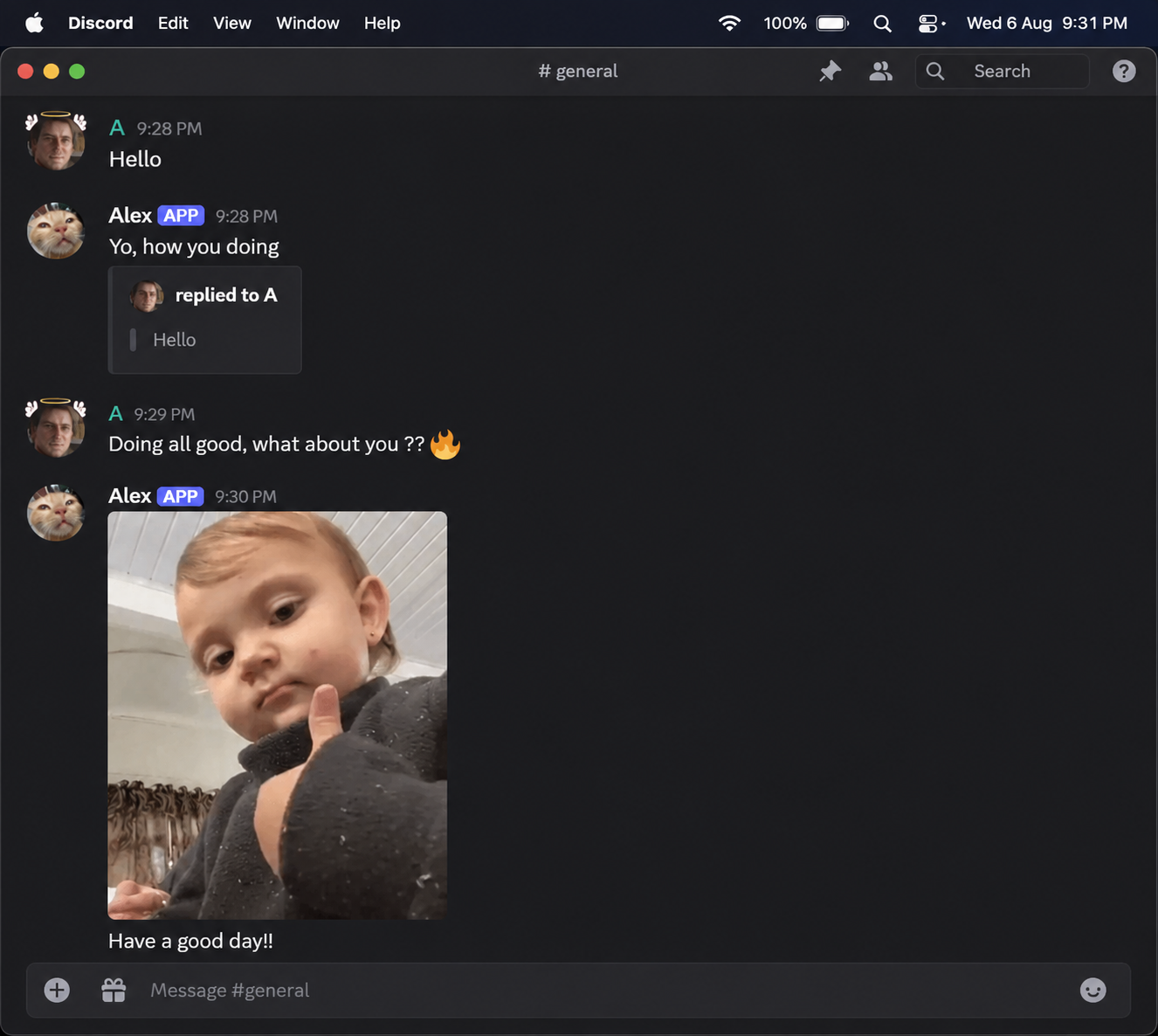
Default prefix is c. — change it anytime with /prefix
c.setupSet the call channelc.c c.callStart a call / join queuec.s c.skipSkip current partnerc.h c.hangEnd the callc.friendmeShare your Discord usernamec.reportReport a message to modsc.gameOpen mini-games menuc.lbServer points leaderboard/prefixChange bot prefix/voteVote on Top.ggNeed more? Use c.help or /currentprefix in Discord for the full list.
Everything you need to know
SwitchBooth is a Discord bot that randomly connects two servers so their members can chat in real time — like a phone booth between communities. Messages, stickers, attachments and reactions are mirrored both ways.
1. Invite the bot with the “Add to Discord” button.
2. Give it permission to Send Messages, Manage Webhooks and View Channel in your chosen channel.
3. Run c.setup (or your server’s prefix) in that channel.
4. Type c.c to start searching for a partner.
Your server name is shown to the other side when the call connects. Individual messages appear with the sender’s display name and avatar (via webhook). You can share your Discord username with c.friendme if you want to stay in contact later.
You join a queue. If no match is found within 20 minutes you are removed and notified. You can leave the queue anytime with c.h.
Yes! While in a call use c.game to open the mini-games menu (Guess Number, Fast Type, Speed Math, Would You Rather, Counting, Rock-Paper-Scissors). Only one game can run at a time; use c.quit to end it.
Servers earn points when they successfully connect and chat actively. Check c.serverpoints for your total and c.lb for the top 10.
Reply to the message you want to report and type c.report. The report is sent to the SwitchBooth moderation team.
Calls automatically disconnect after 30 minutes of no messages from either side.
Make sure SwitchBooth has Send Messages, Manage Webhooks and View Channel in the call channel. Without Manage Webhooks the cross-server chat cannot work.
Join the support server, use /support, or vote on Top.gg to help the bot grow.
Invite the bot and start connecting communities
Requires Manage Webhooks, Send Messages & View Channel permissions for the call feature to work properly.
Add to DiscordGet help, report issues, suggest features, or just hang out with the community.
Join SupportTop communities ranked by SwitchPoints
Last updated: July 2026
SwitchBooth (“the Bot”, “we”, “us”) is a Discord application that facilitates real-time text chat between Discord servers. This Privacy Policy explains what data we process and how we handle it.
Data is used solely to operate the Bot and website: matching servers, relaying messages, enforcing safety rules, awarding points, listing communities on Discover, and providing moderation tools. We do not sell, rent, or share personal data with third parties for advertising or marketing.
Configuration (channels, prefixes, points, bans, warnings) is stored. Message content is not retained after a call ends (except when explicitly reported). When the Bot leaves a server, related configuration data is cleaned up. Discover listings and reviews remain until removed by the submitter, server staff, or site admins.
The Bot integrates with Top.gg for server-count posting and voting. Top.gg has its own privacy policy. Discord’s terms and privacy policy also apply to all interactions on the platform.
Blocked words are filtered from relayed messages. Users and entire servers can be banned. Reports are reviewed by the moderation team. Calls end automatically after prolonged inactivity.
Server administrators can remove the Bot at any time; related data is cleaned on leave. To request removal of ban/warning records or other stored data, join the support server and open a ticket, or contact the Bot owner through that server.
We may update this policy from time to time. Continued use of the Bot after changes constitutes acceptance of the updated policy. The “Last updated” date at the top will reflect the latest revision.
The Bot is intended for use in accordance with Discord’s Terms of Service (users must be 13+).